

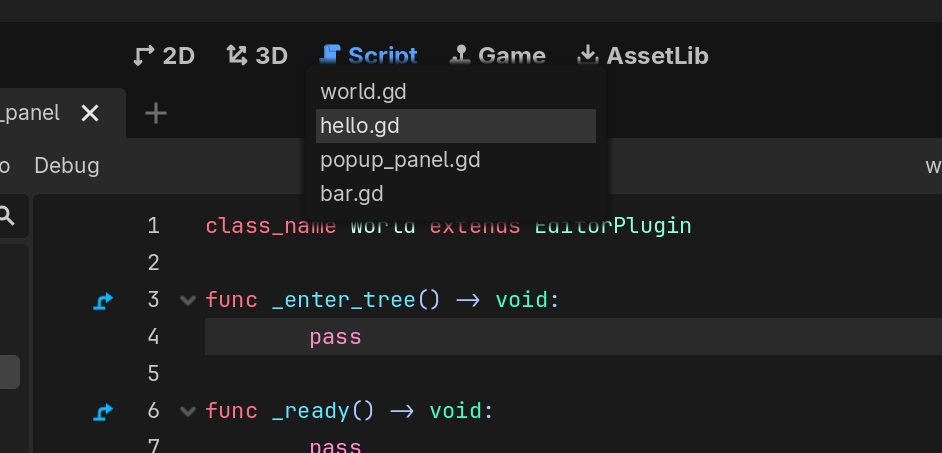
Description
This is a plugin for the Godot Game Engine created with godot-cpp that provides quick switching between recently opened scripts using a currently hardcoded keyboard shortcut: Ctrl + Tab. This is a recreation of VSCode’s Quick Open for MRU (Most Recently Used) files, improving workflow efficiency for developers who are familiar with this … workflow. Mainly just a pain point for me working in Godot - and that’s all that matters.
Features
- Most Recently Used (MRU) Script History: Keeps a list of the scripts you have open.
- Quick Switch Popup: A compact popup window with recent scripts by their file names.
- Keyboard-driven Navigation: Navigate and select scripts within the popup using familiar keyboard shortcuts.
- Contextual Activation: The popup only appears when the Script Editor is the active tab, as that makes sense for a script switcher.
- Full Path Tooltips: Each script in the list displays its full path as a tooltip.
Usage
Once the plugin is enabled, you can use the following keyboard shortcuts:
- Trigger the popup:
- Press
Ctrl + Taband holdCtrl. - A popup will appear, displaying a list of your open scripts, sorted by how recently they were used.
- Press
NOTE: the second item in the list (the previously active script) will be selected, allowing for quick toggling between your two most recent scripts.
Navigate the List:
- While still holding
Ctrl, pressTab,Down Arrow, orUp Arrowto select a script.
- While still holding
Select a script:
- Release the
Ctrlkey. - The script currently highlighted in the popup will be opened in the Script Editor.
- Release the
Technical Details
This plugin is implemented in C++, using Godot’s GDExtension with godot-cpp bindings for blazingly fast performance and deep integration with the Godot editor. Also I wanted to.
The ScriptSwitcher class tracks script changes by binding to the ScriptEditor::editor_script_changed signal, updating a MRU history variable stored as a vector type. It overrides the global _inputs method to listen for Ctrl + Tab combinations and only displays the quick-open popup if the script editor is active. The popup UI is designed in Godot and saved to a .tscn file and dynamically loaded in when the plugin is enabled.